Turn the cutout into a product photo
Continue with PicDo AI’s product photo tools when the transparent cutout is only the first step in preparing a listing.
Open the AI product photo editorPicDo AI isolates the subject from your photo and creates a clean, transparent PNG for products, profiles, presentations, and more. No sign-up required.
Background-removal technology
PicDo AI primarily uses Cloudflare Images Background Removal with foreground segmentation. If that service is unavailable, we may automatically use Remove.bg, Clipdrop, or Runware background removal (runware:112@5) to complete the requested edit.
Your upload and generated result are used only to complete this edit and are scheduled for automatic deletion after one day.
A focused cutout removes the surrounding room while preserving the product silhouette, handle, glass, and reflective details needed for a useful listing asset.
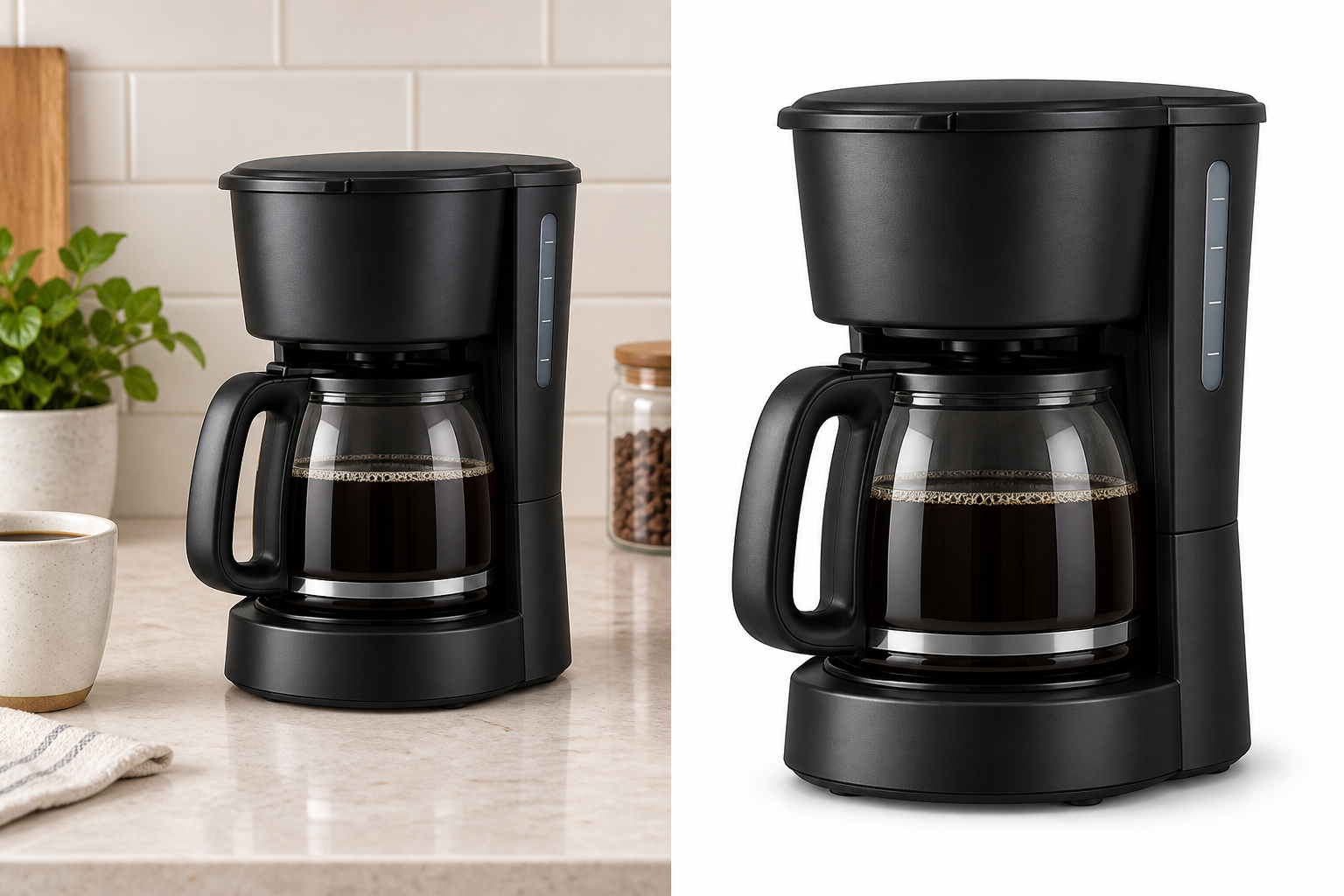 BeforeAfter
Source
Kitchen scene with props and mixed edges
Edit
Foreground product isolated from the environment
Result
Clean product asset ready for a new layout
Choose a JPG, PNG, or WebP file. On desktop, you can also drag it straight into the editor.
PicDo AI identifies the foreground, keeps important edges, and removes the original background.
Compare the result with the original, then save the cutout for your next design or listing.
PicDo AI is designed for fast, repeatable cutouts. A manual editor remains useful when you need detailed edge-by-edge retouching.
| Workflow detail | PicDo AI background remover | Manual editor |
|---|---|---|
| Subject selection | Automatic AI isolation | Draw or refine a selection |
| Layers and masks | Not required | Usually required |
| Output | Transparent PNG | Depends on export settings |
| Account for free trial | Not required | Depends on the editor |
| Best suited for | Quick subject cutouts | Pixel-level edge refinement |
Keep the result as a reusable asset, or continue into a focused product-listing workflow.
Continue with PicDo AI’s product photo tools when the transparent cutout is only the first step in preparing a listing.
Open the AI product photo editorReview framing, background, dimensions, and other practical main-image checks before creating listing variations.
Check an Amazon main imagePicDo AI does not require an account for free background removal. Uploaded originals and processed results are scheduled for automatic deletion after one day, and anonymous product analytics do not store your original IP address.
Upload a JPG, PNG, or WebP image, complete the security check, and select Remove background. PicDo AI isolates the main subject and returns a transparent PNG you can download.
You can process up to three images per day for free without creating an account. Optional monthly credit plans are available for higher usage.
Yes. Background removal results are delivered as PNG files with transparency, ready for product listings, profile images, presentations, and design tools.
PicDo AI accepts JPG, PNG, and WebP images up to 10 MB. The service validates the actual image content before processing it.
Uploaded images and generated results are scheduled for automatic deletion after one day. You do not need to create an account.
PicDo AI primarily uses Cloudflare Images Background Removal with foreground segmentation. To keep the tool available, our automatic fallback chain may use Remove.bg, Clipdrop, or Runware background removal (runware:112@5). These services are designed to retain fine edges such as hair, clothing, and product contours; results depend on image quality and subject contrast.
PicDo AI processes one image at a time. Start with three free edits each day, or choose monthly credits when you need higher-volume processing.
You can upload images up to 10 MB. For the best results, use a clear, well-lit photo with good contrast between the subject and background.
You may use a processed image commercially when you own the source image or have permission to use it. Processing does not expand your rights to third-party photos, logos, or other protected material.
PicDo AI is a browser-based background eraser with three free daily edits and optional monthly credits. It requires no software installation or account creation. Photoshop offers more advanced editing but requires a subscription and significant learning curve. For quick background removal, PicDo AI delivers results in seconds without either barrier.
PicDo AI does not currently offer a public background removal API. Use the web editor for individual images, or contact support@picdo.ai if you want to discuss a business workflow.
Yes. PicDo AI runs entirely in your browser on both desktop and mobile. Simply open picdo.ai/remove-background on your phone or tablet to remove backgrounds on the go.